Instrument
Software
The instrument can
operate in one of several modes determined by the MODE selection control. These
are Image Scan, Image Viewer, Manual Stage Control, Point-and-Shoot, and Trace
Viewer modes. All are operated under a single Labview
(Version 6) program running under Windows.
Image Scan Mode Features:
Single-channel
Imaging from Selectable Detector
Single-channel
photon counting software download
Two-channel
Imaging
Three-dimensional
Imaging
Line-by-line
Updates with Detector Selection Control
Imaging
Area Selectable by Digital Controls or Cursors
Both
Raster Scanning or Back-and-Forth (Zigzag) Scanning Patterns
Automatic
Image Offset Correction Using Selectable Correction File
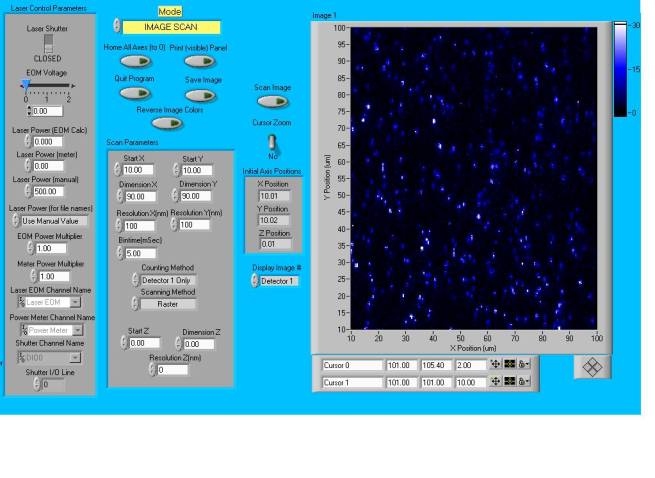
Image Viewer Mode Features:
Display
of Both Images From Two-Channel Acquisitions
Display
of a Calculated Image Derived from Two-Channel Acquisitions (eg.
co-localization)
Display
of Selectable Image Planes from 3-D Acquisitions either in Separate Windows or
in
a Single Toggling Window
Display
of up to Four Images from Different Image Files
Pixel
Shift Control for Back-and-Forth Scanning Artifact Clean-up
Automatic
Input Data Formatting via Detection of Software Version Number
Manual Stage Control Mode Features:
Movement
of Stage to Position Selectable by Digital Controls or Cursors
Adjustment
of Stage Velocity for Each Axis
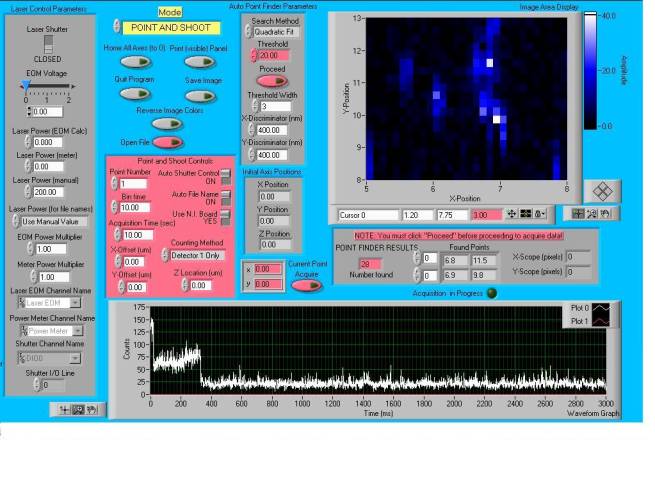
Point-and-Shoot Mode Features:
Single-channel
Intensity vs Time Trace on a Sample Location from Selectable Detector
Two-channel
Intensity vs Time Trace on a Sample Location
Sample
Location Selectable by Cursors
Automatically
Generated Maxima Locations via Configurable Image Search Algorithm
Automatic
Excitation Shutter Control
Automatic
File Name Generation (based on image name, bin time, and laser power)
Trace Viewer Mode Features:
Display
of Either or Both Traces From Two-Channel Acquisitions
Interactive
Filtering of Trace Data
Display
of up to Six Traces from Different Point and Shoot Runs
Automatic
Input Data Formatting via Detection of Software Version Number
Adjustable
Trace Colors and Trace Captions
General Features:
Print
Window Control
Home
Stage (to 0, 0, 0) Control
Excitation
Shutter Control
Laser
Power Control
Reverse
Image Color Control
Acquisition
Data Included in File Header
Ability
to Continuously Switch Between Modes Without Loss of Previous Information
Last updated August
10, 2003